Sony DualSense Wireless Controller
Native PlayStation symbol alignment, wide-travel L2/R2 triggers, and low-latency USB-C or Bluetooth input handled through KytyPS5's bundled SDL3 backend.
Configure KytyPS5 on Windows 10/11, Linux, or Apple Silicon macOS: verify Vulkan 1.3 GPU capability, organize legally obtained eboot.bin folders or read-only ZArchive (.zar) packages on a secondary SSD, and generate exact CLI launch commands.
Select your operating system, game container format, and preferred entry point (kyty_launcher GUI vs kyty_emulator --game CLI) to generate a copy-ready setup profile.
Generated launch command
D:\KytyPS5\kyty_emulator.exe --game "D:\PS5Games\PPSA01341.zar"Platform environment & storage layout
# Dedicated Secondary SSD Layout (eliminates Windows C:\ NTFS Defender shader-pool locks)
D:\KytyPS5\kyty_launcher.exe
D:\KytyPS5\kyty_emulator.exe
D:\PS5Games\PPSA01341\eboot.bin
Keep both KytyPS5 and your game library off C:\ so Windows Defender real-time NTFS indexing does not stall asynchronous SPIR-V shader writes.
Hardware guidance synthesized from the upstream KytyPS5 README and the 497-entry community hardware database.
| Component | Minimum Baseline | Recommended Test-Bench Spec | Why It Matters in KytyPS5 |
|---|---|---|---|
| Operating System | Windows 10 v1803 (64-bit), current Linux distro, or macOS 14+ (Apple Silicon) | Windows 11 23H2/24H2 or Linux Kernel 6.10+ (Arch, Fedora, SteamOS) | Required for modern Vulkan 1.3 loader support, virtual memory reservation, and SDL3 backends. |
| Processor (CPU) | 64-bit x86-64 CPU (6 cores / 12 threads) or Apple M1+ with Rosetta 2 | 8-core Zen 4 / Zen 5 (Ryzen 7 7700X+) or Intel Core i5-13600K+ | Executes guest x86-64 game threads concurrently alongside asynchronous RDNA 2 to SPIR-V shader compilation. |
| Graphics (GPU) | Vulkan 1.3 GPU with 8 GB VRAM (RX 6600 / RTX 3060 / Arc A750) | 12-16 GB+ VRAM Vulkan 1.3/1.4 GPU (RX 7800 XT / RX 9070 XT / RTX 4070+) | PS5 shares 16 GB unified GDDR6; high VRAM prevents host device-lost evictions when mapping Prospero render targets. |
| System Memory | 16 GB dual-channel RAM | 32 GB DDR4/DDR5 RAM | Provides headroom for guest memory aliasing, shader caches, and static FFmpeg video buffers. |
| Storage Layout | Writable SSD folder outside Program Files | Dedicated secondary PCIe Gen4 NVMe SSD (D:\ or /mnt/nvme) | Eliminates Windows C:\ NTFS/Defender real-time indexing stalls that pin CPU/GPU at 100% during shader writes. |
KytyPS5 never distributes games or copyrighted system software. When running your own legally obtained PlayStation 5 titles, the launcher and CLI accept two clean storage layouts.
Add a parent library folder (such as D:\PS5Games) inside kyty_launcher Global Settings. The scanner walks subdirectories recursively and registers every game folder containing a valid eboot.bin executable.
D:\PS5Games\
  PPSA01341\
    eboot.bin
    sce_sys\
...To save NVMe space and avoid tens of thousands of small NTFS metadata files, package a game directory whose archive root contains eboot.bin into a .zar container. KytyPS5 mounts .zar files read-only and streams chunks directly without extraction:
.\kyty_emulator.exe --game "D:\PS5Games\ExampleGame.zar"
Upstream telemetry shows secondary NVMe SSDs eliminate Windows C:\ shader-pool thread locks, while KytyPS5's bundled SDL3 layer reads DualSense and 1000 Hz X-Input controllers natively.
Native PlayStation symbol alignment, wide-travel L2/R2 triggers, and low-latency USB-C or Bluetooth input handled through KytyPS5's bundled SDL3 backend.
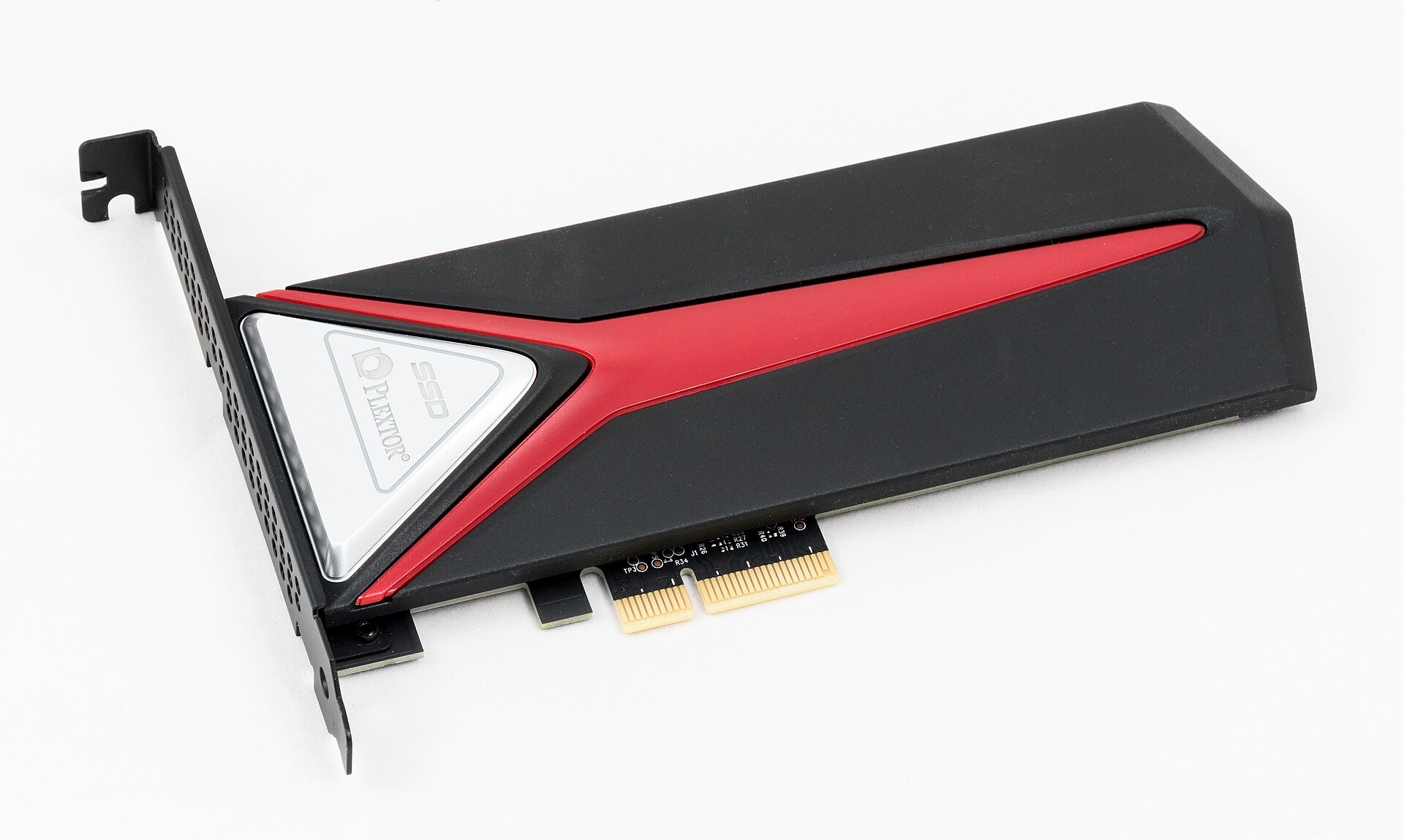
Dedicated secondary M.2 NVMe drive up to 7,450 MB/s so background SPIR-V shader pool writes bypass Windows C:\ NTFS Defender lockups documented in Demon's Souls testing.
High-IOPS PCIe Gen4 storage built for streaming large read-only ZArchive (.zar) packages and multi-title PPSA directories without asset-loading hitches.
Drift-free Hall-effect joysticks and triggers, 1000 Hz 2.4G adapter, and extra R4/L4 bumpers with plug-and-play SDL3 udev hotplug on Windows and Linux.
Affiliate disclosure: As an Amazon Associate, kytyemulator.wiki earns from qualifying purchases at no added cost to you.
Direct engineering answers grounded in the GPL-2.0 KytyPS5 repository and community test reports.
No. Provided eboot.bin sits at the root of the ZArchive (.zar), both kyty_launcher and kyty_emulator --game mount and stream it directly in read-only mode.
Nowhere. KytyPS5 does not use external low-level firmware modules. You only point the launcher at your own legally obtained decrypted game folder or .zar archive.
Run kyty_emulator --help from PowerShell or Terminal to print all graphics, logging, Vulkan validation, profiling, and debugging switches compiled into that build.
Two reasons: Windows UAC blocks kyty_launcher from writing logs, shader pools, and in-place SHA-256 updates inside Program Files, and keeping shader pools on the C:\ boot volume triggers Defender/NTFS lock contention.